UI/UX Case Study

WorkWiz

A communication-first freelancing platform designed to help clients and freelancers connect, collaborate, and build trust through messaging, video calls, community blogs, and profile-based service discovery.
RoleUX/UI Designer
ProjectMobile App Concept
ToolsFigma · UX Research
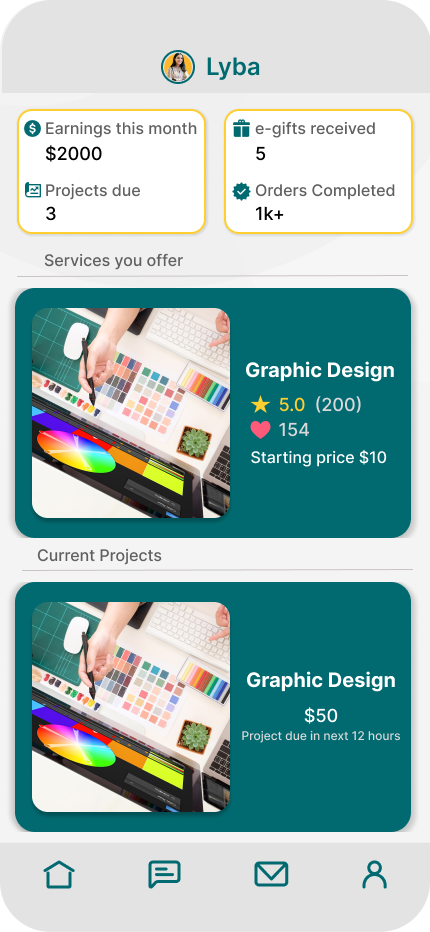
Home screen
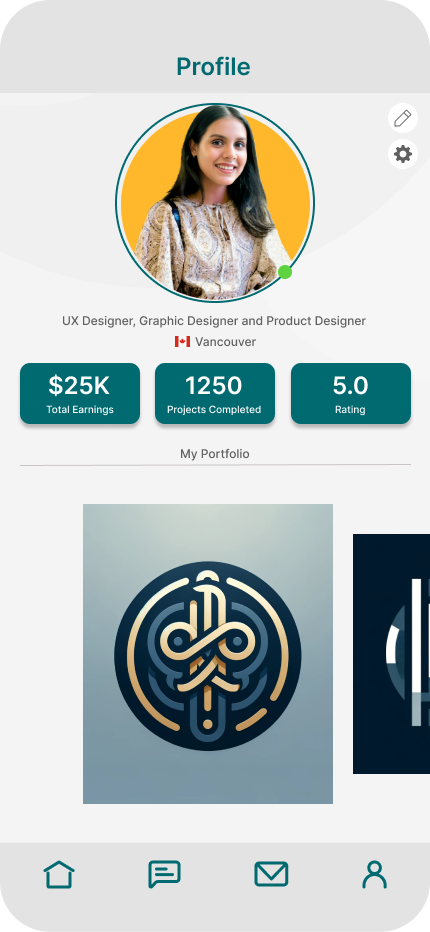
Profile screen
Video calling screen
Messaging
Community
Video Calls
Making freelance work feel more human.

The idea

WorkWiz is a freelancing platform for digital services. The concept focuses on communication, community, and appreciation — not just hiring and payment. Its core experience connects clients and freelancers through service profiles, chat, video calls, blogs, and e-gift appreciation.

Freelance platforms can feel transactional.

Many freelancing platforms help users find work, but the collaboration itself often feels disconnected. WorkWiz explores how a mobile platform can support trust, clearer communication, and a stronger sense of community between clients and freelancers.

01

Communication

Users need easier ways to discuss project details, ask questions, and reduce misunderstanding.

02

Trust

Profiles, ratings, portfolios, and service details help users evaluate who they want to work with.

03

Community

Blogs and shared experiences create a stronger sense of learning and connection beyond transactions.

Understanding the freelance space.

The research reviewed platforms like Upwork, Freelancer, Fiverr, Toptal, and Guru to understand common patterns around hiring, communication, bidding, service discovery, and professional trust.

Competitive insight

What existing platforms do well

  • Large talent pools and project discovery
  • Gig-based service offerings
  • Ratings, reviews, and profile credibility
  • Project management and job matching
Opportunity

Where WorkWiz adds value

  • Real-time video communication
  • Community blog space
  • Digital thank-you cards and appreciation
  • More relationship-focused collaboration

Two sides of the marketplace.

The experience was shaped around both freelancers and clients — people who need to build trust quickly, communicate clearly, and move from discovery to collaboration.

Freelancer

Kate

A freelance graphic designer who uses WorkWiz to showcase her portfolio, communicate with clients, join the community blog, and build stronger professional relationships.

Client

Mark

A small business owner looking for skilled professionals. He values project clarity, video discussions, messaging, and being able to review services before hiring.

Designed around connection.

WorkWiz combines marketplace functionality with communication tools to make remote freelance work feel more collaborative.

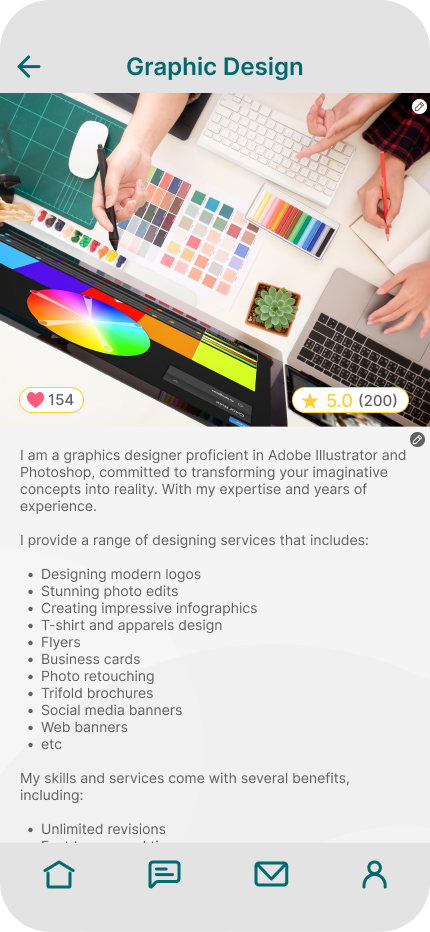
Service discovery

The home and service detail screens help users understand services, pricing, ratings, and project status in a direct mobile-friendly layout.

Home screen Service details screen

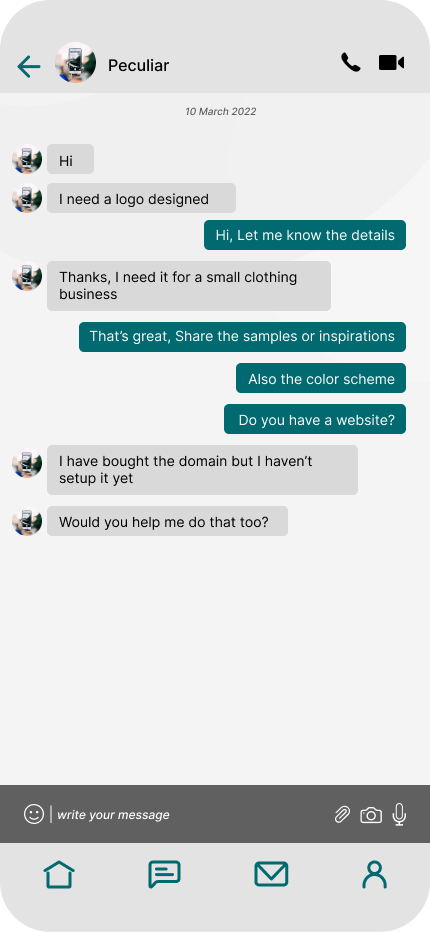
Messaging and calls

Chat, inbox, and video calling support quick project conversations and help users clarify details before committing to work.

Chat screen Video calling screen

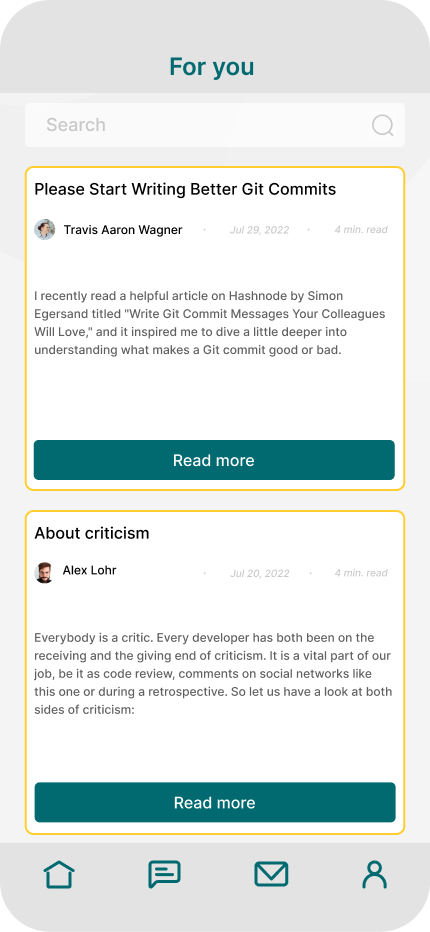
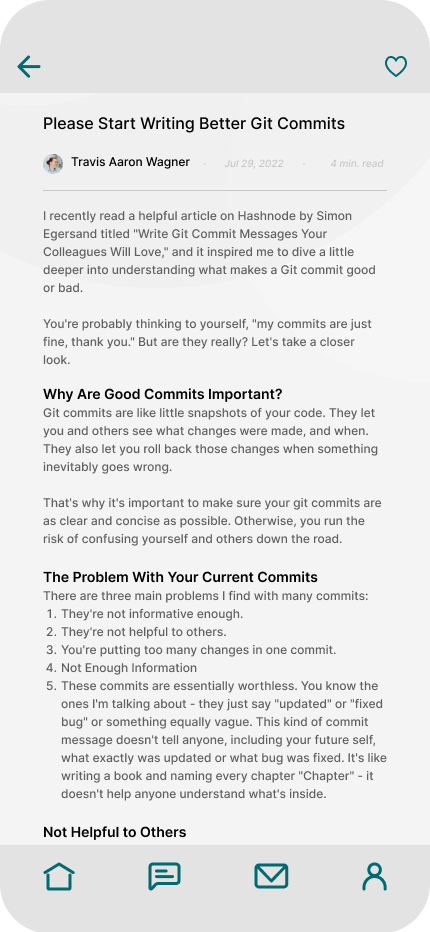
Community content

The blog section gives freelancers and clients a place to learn, share advice, and build credibility beyond service listings.

Blog list screen Full blog screen

A calm teal mobile interface.

The interface uses a soft grey background, teal brand color, rounded mobile surfaces, and consistent bottom navigation to keep the experience approachable and easy to move through.

Teal
Soft Grey
Warm Base
Accent

Designed for collaboration.

Instead of isolated screens, the experience was designed as a connected workflow — from discovery and messaging to profiles, blogs, and communication.

Communication

Messaging & Video Calls

Real-time communication helps freelancers and clients align faster, ask questions, and collaborate more naturally.

Marketplace

Service Discovery

The home and service detail experiences help users browse offerings, evaluate profiles, and move smoothly into conversations.

Community

Blogs & Shared Knowledge

The blog space extends the platform beyond transactions and encourages users to learn, share experiences, and build credibility.

User Experience

Profiles & Personalization

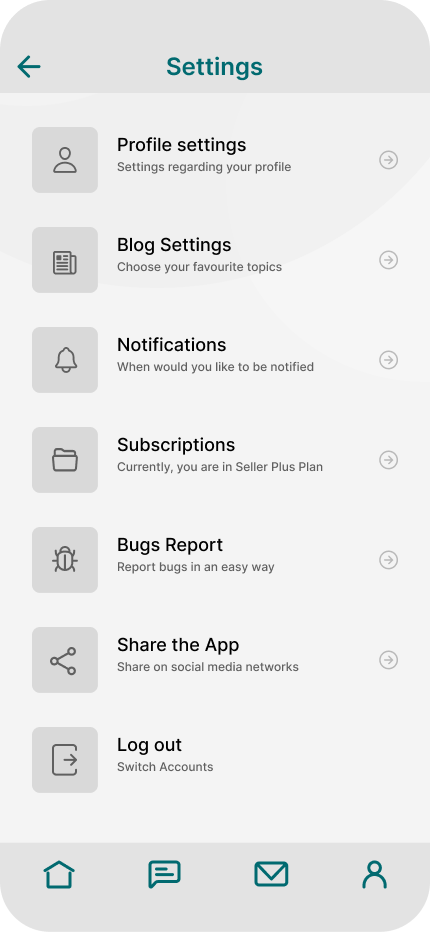
Profile management and settings help users control how they present themselves, communicate, and manage their experience.

Iteration through feedback.

During evaluation, feedback highlighted opportunities to improve home screen readability, make the profile page more attractive, and improve font readability through better contrast and weight. These insights helped shape the final direction.

Feedback

Readability

Home screen information needed clearer hierarchy and stronger legibility.

Feedback

Profile UX

The profile page needed stronger visual appeal and a more polished presentation.

Feedback

Typography

Fonts and contrast needed refinement to improve overall readability.

What this project taught me.

Designing beyond screens

WorkWiz helped me think about UX as an ecosystem: discovery, communication, trust, and relationship-building. The strongest lesson was learning how product features can support emotional needs — not just functional tasks.